 Technology
Building a Discord Attendance Bot with AI : Vibing in full flow
 Anuj Poudel28 Jul 2025
At DalloTech, my usual routine revolves around project architecture, DevOps, and making sure things don’t fall apart mid deployment. I'm not a hardcore fullstack developer. I know my way around full-stack stuff just the basics. But recently, I decided to fix something that had been annoying me for a while: our office’s outdated attendance system.
This blog is about how a boring biometric scanner pushed me into the world of vibe coding and how I ended up building a working Discord bot, with a dashboard, charts, analytics, and an actual deployment. All with the help of a few AI tools and a lot of curious energy.
The Old Setup: Clunky, Static, Useless
Our office uses a biometric fingerprint machine for attendance. Sounds fancy, but in reality, it’s just a dead-end device that gives you Excel files and nothing else. No cloud, no dashboards, no daily insights. Just... spreadsheets.
We’d recently switched our communication to Discord, leaving Slack and Skype behind. That got me thinking "why not build something fresh and modern on top of Discord? Something that could send reminders, collect attendance, and ask folks how they're doing, what they're working on, and whether they actually finished what they planned."
It felt like the right time to stop waiting for someone else to build it.
Getting Into Vibe Coding
I’d heard the term “vibe coding” floating around for a while. It basically means building stuff by writing natural language prompts, instead of traditional coding from scratch. You're kind of just vibing explaining what you want, and letting AI figure out the boilerplate.
I found a site called bolt.new, and decided to give it a shot. I typed out my idea like this:
I would like to make a Discord bot. The bot will do attendance, check-in, and check-out tasks. It will ask three questions: plan of today’s work, yesterday’s task, and status.
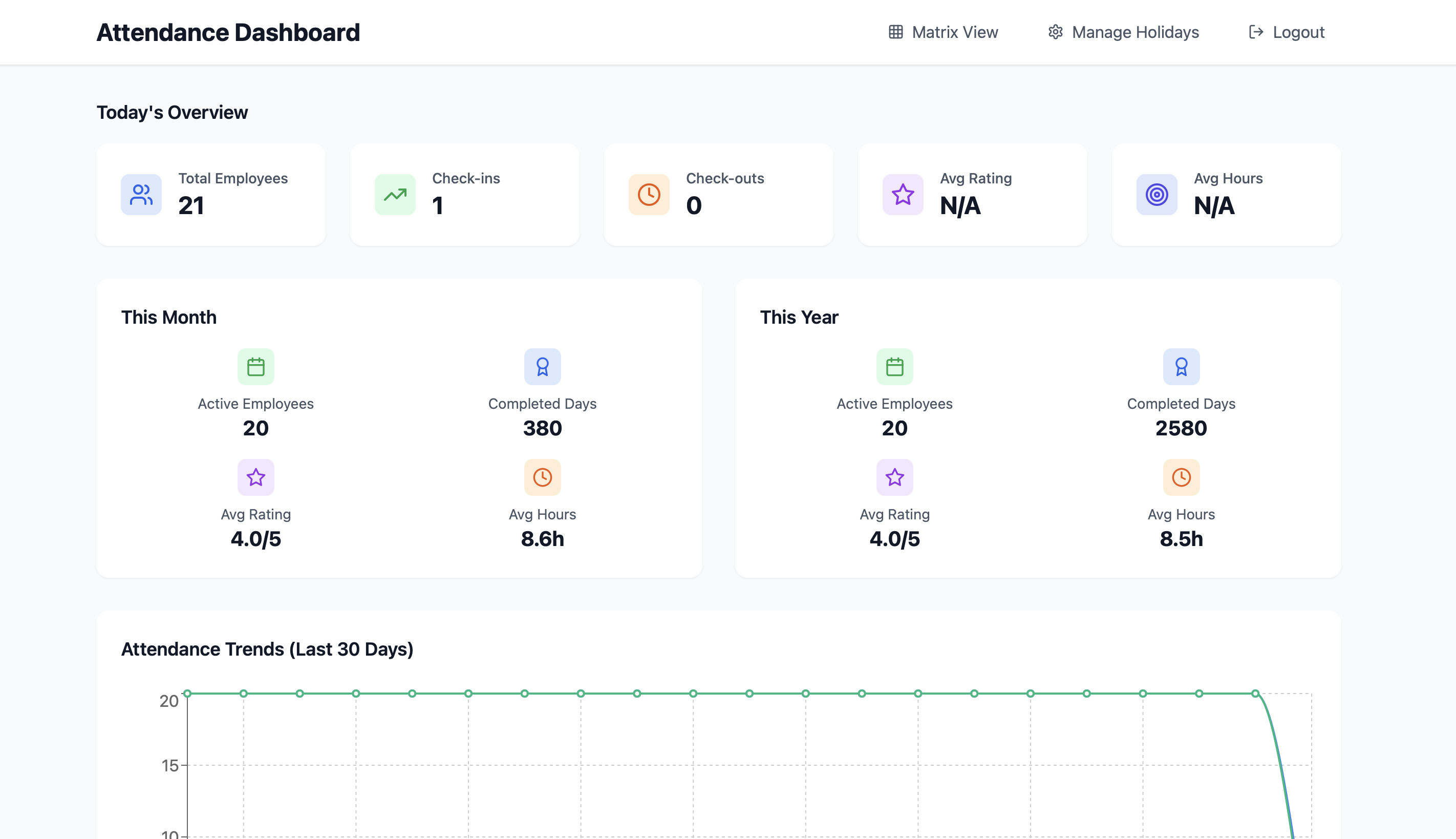
For admin view, I want a simple dashboard. In the dashboard, I want to see the employee list and analytics related to check-in.
I need another detail page for each employee to see daily records in table form.
Bolt gave me a working project setup in Node.js backend, Vite frontend, and a Discord bot. But yeah, the UI was meh, and it didn’t quite do everything I wanted. So I started going back and forth with more prompts.
Here’s the Full Prompt Trail I Used
Instead of rewriting everything or getting lost in code, I just kept asking:
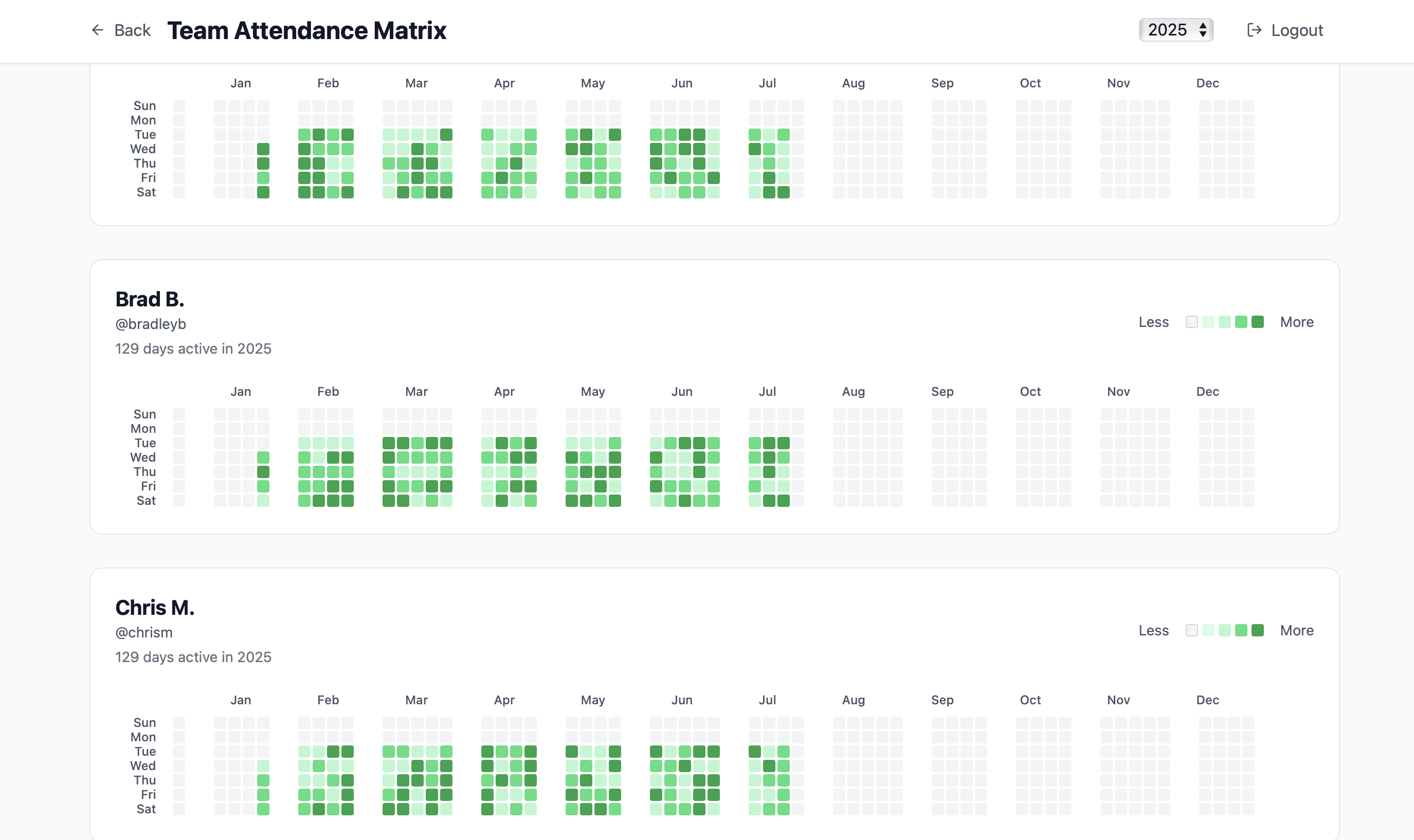
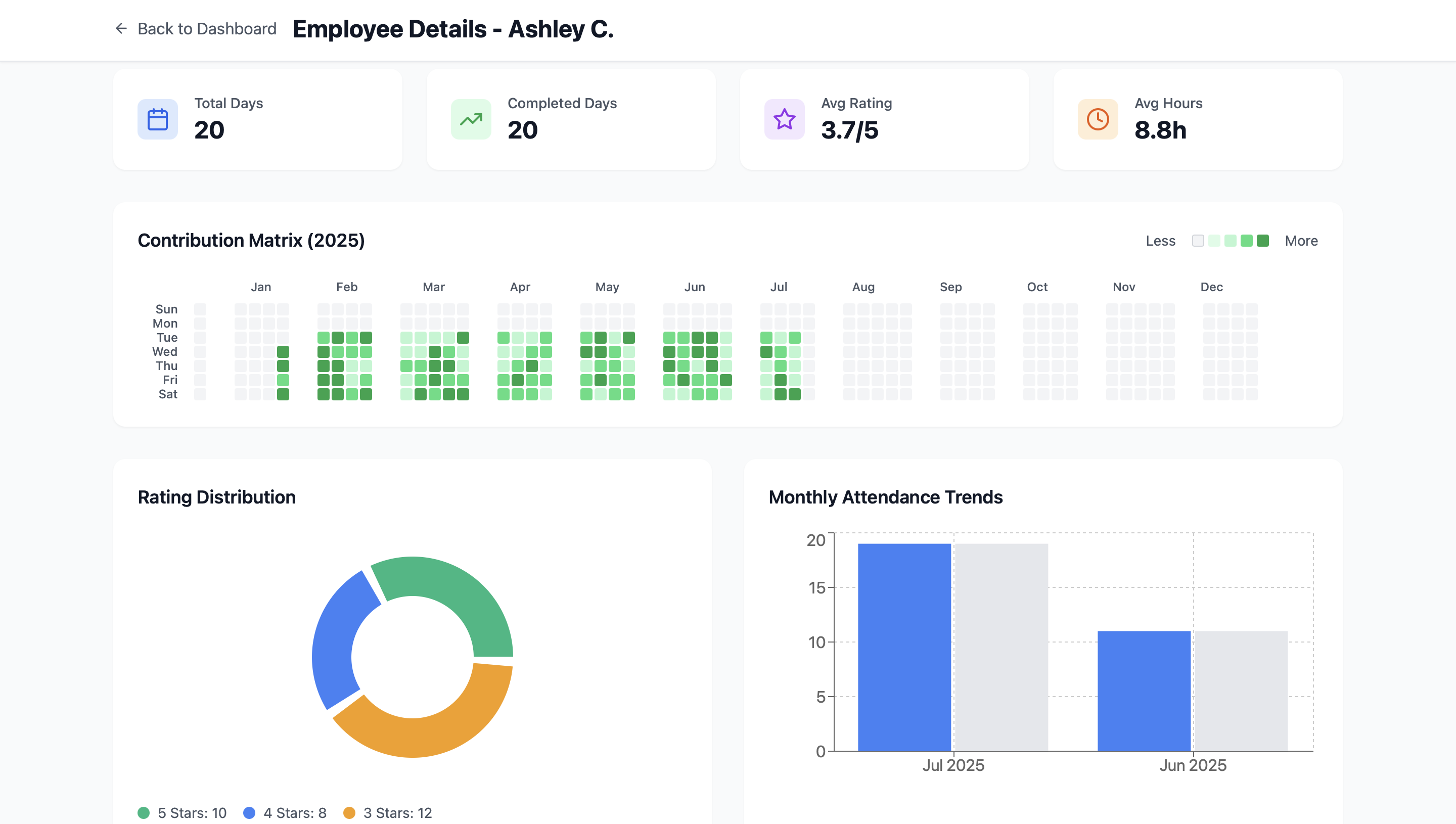
"Make a GitHub-like contribution matrix about the attendance in yearly view."
"This seems nice, but I want to separate each month so the UI is pleasant."
"The attendance matrix seems too long. Make it like this: in each row of employees, split into 7 rows to show weeks, so there won’t be much horizontal scroll."
"The contribution matrix is not showing contributions properly. The month and corresponding date grid is not aligned properly—fix that."
"In the dashboard, I need basic KPIs for today, month, and year. Suggest required KPIs. Below, I need a table of all employees’ today’s records like check-in, check-out, questions, time worked, their answers, etc."
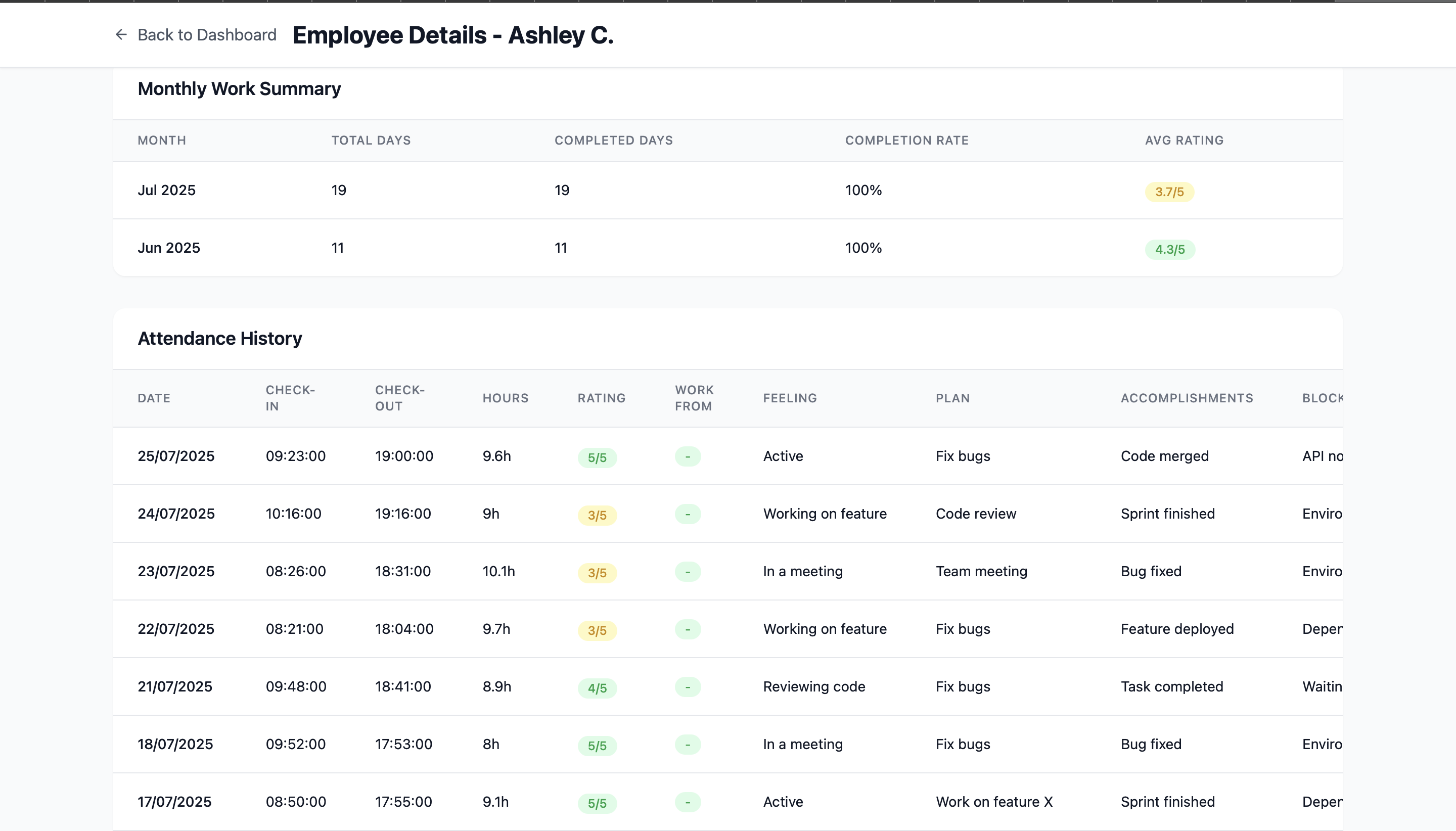
"I need the employee detail page to show the contribution matrix, trend or pie charts, and a table of work month-wise."
"Show checkout descriptions in the table in the dashboard too. Total working hours are not shown in the dashboard page even though I do checkout."
"Show a pie chart of the total number of employee check-in statuses."
"Highlight rows with a faint color whose working hours are less than 6.5 hours."
"In the employee detail page, there is ‘NA’ in the rating if today’s checkout is not done—fix that. Still, checkout records and responses are not visible, and the dashboard shows ‘NA’ in rating."
"In the employee detail page, the attendance history table only shows check-in data. I need checkout status and responses too."
"The scheduler is supposed to run a cron job at 9:55 AM except Saturday and 4:55 PM except Sunday. It is not working."
"In the morning check-in response collection, make the ‘how are you feeling today’ a dropdown with 7–8 options."
"Add a field for work location: office or remote."
"Saturday will be a holiday. Provide an option for admin to add holidays with descriptions and save in the database."
"The working hours are not shown properly in the table."
"Do not allow double check-in or double check-out. Only allow once per day."
It Started Coming Together
Each prompt added something useful or fixed a weird bug. Slowly, the app became real. The bot worked. The dashboard showed live records. The UI had graphs, KPIs, even a pie chart showing check-in stats.
Still, I wasn’t fully happy with how it looked and felt. So I synced the code to GitHub, cloned it locally, and opened my editor. I sat down with ChatGPT and Grok side-by-side for a few focused hours, fixing things one by one, styling issues, logic gaps, alignment bugs. It was almost like pair programming, but with bots.
Some snaps of Project
 |
 |
 |
 |
Time to Go Live
Once the app felt solid, I prepped for deployment. I containerized the frontend, backend, and bot using Dockerfile and docker-compose.yml. Then I set up a reverse proxy on a VPS to handle routing.
Was it easy? Not really. But AI tools helped me navigate every step from debugging the Docker config to making sure the scheduler ran on time. And finally, it was live.
What I Learned
Honestly, vibe coding feels like cheating in the best way. You don’t need to know everything. You just need to know what you want. As long as you can describe your idea clearly, you can build.
This wasn’t just a coding experiment. It was proof that tools today have changed the game. And if someone like me with just basic dev experience can build and ship something like this, you probably can too.
Want to Try It?
I’ve open-sourced the project on GitHub.
If you're curious, need help setting it up, or want to build something similar, I’m just a message away.
We at DalloTech love turning weird ideas into working systems. Whether it’s Discord bots, internal dashboards, or automation tools, we’re into it.
So if you’ve got an idea... maybe it’s time to stop overthinking it.
Just write the prompt.
Start building.
Let it vibe.
Have an idea worth building?
Tell us about it. We reply within one business day.
.png&w=3840&q=75)
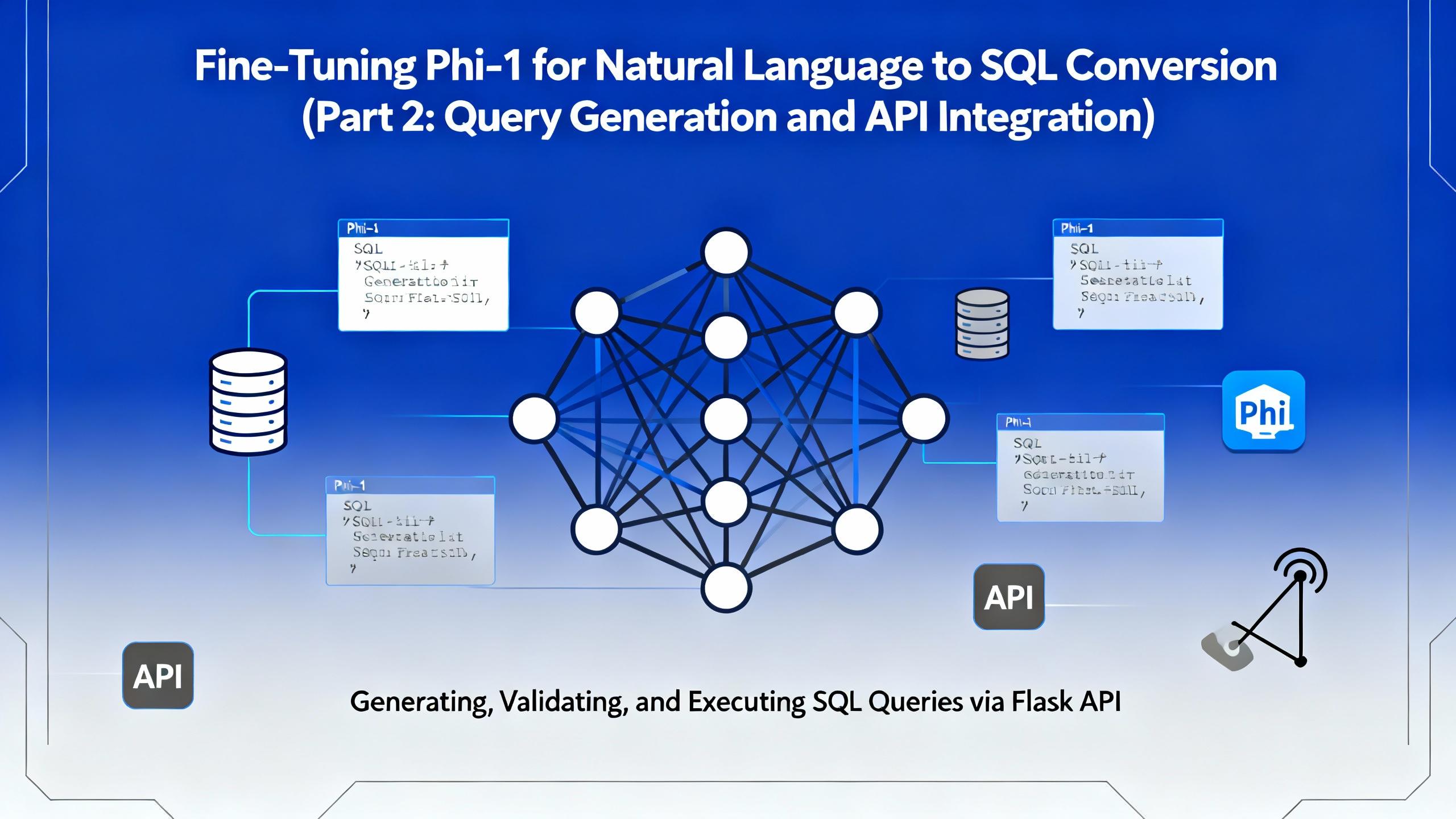
In the second part of this series, we move beyond model training and bring our fine-tuned Microsoft Phi-1 to life. This article focuses on query generation, safe SQL execution, and building a Flask-based API that allows real-time interaction with financial databases.
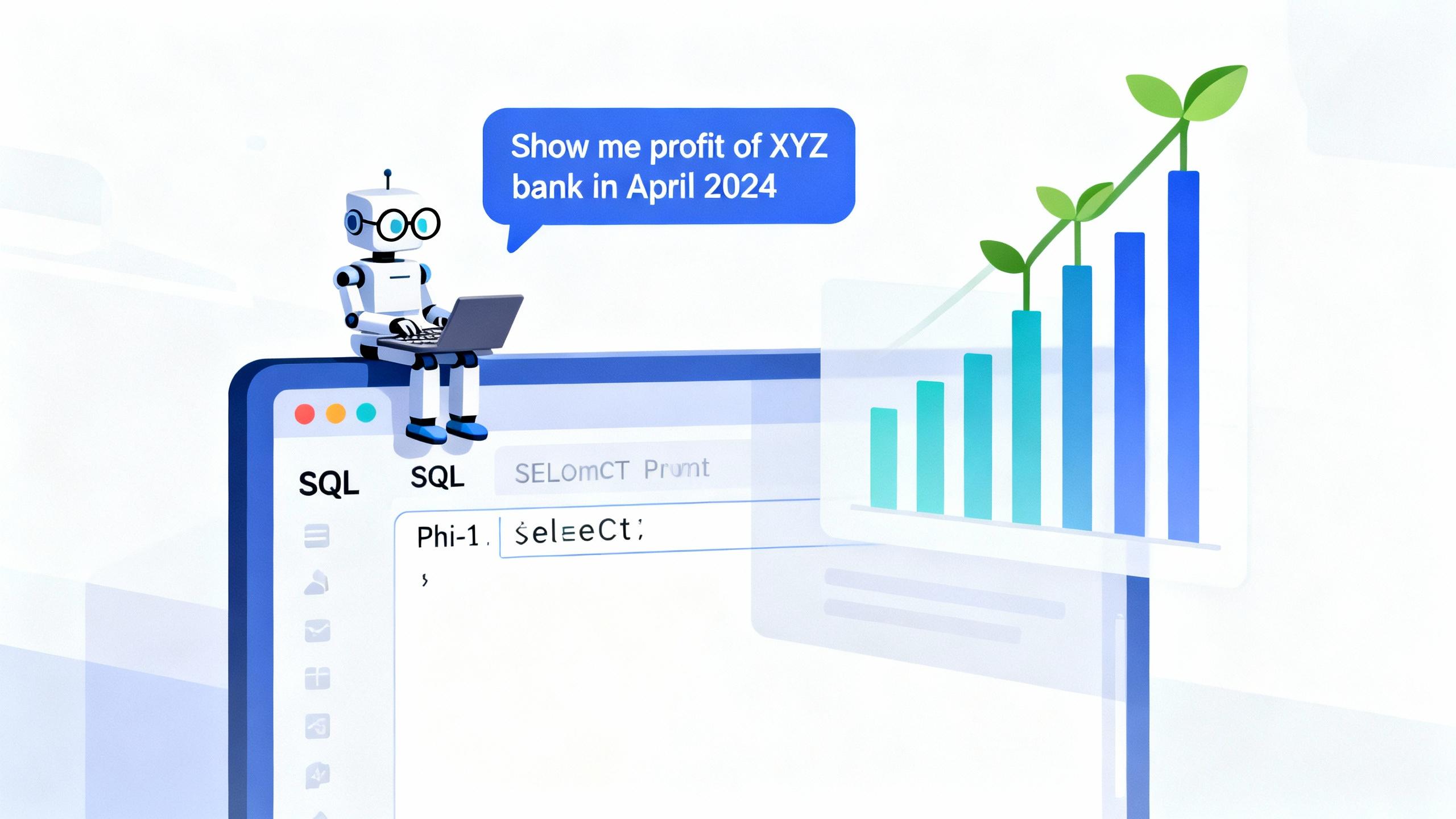
In today’s data-driven world, being able to query databases with natural language is becoming increasingly valuable. Imagine simply typing: “Show me the total interest income of Kumari Bank in April 2022” and instantly receiving a valid SQL query (and even the corresponding chart!) — no manual SQL writing required.
Explore the essentials of IP binding in Dockerized applications with this insightful Dallo Tech blog post. Gain expert tips and best practices to optimize your containerized workflows effectively.
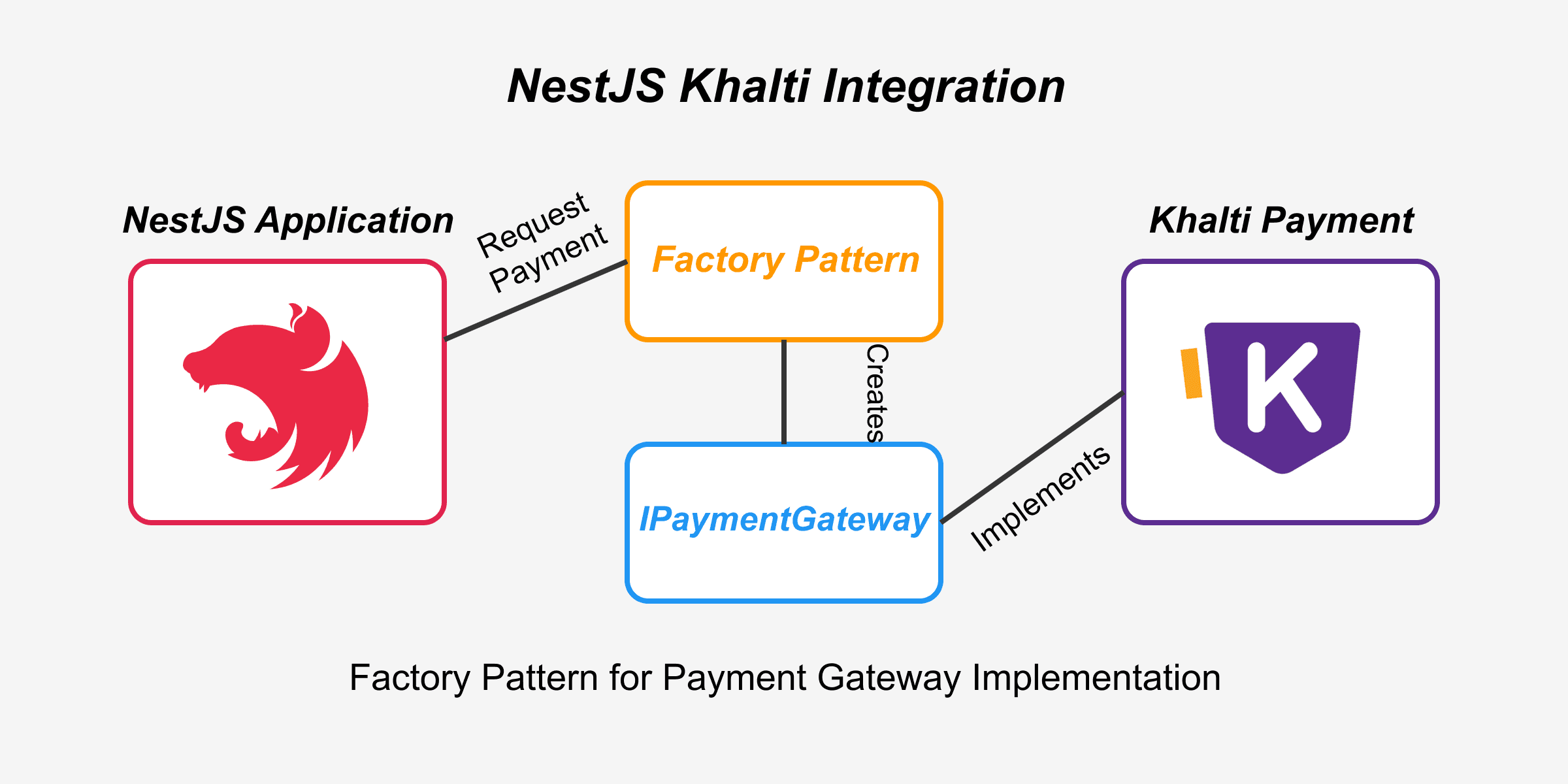
If you are integrating Khalti payment provider in NestJS or interested in knowing how Khalti payment API handles transaction, this blog is perfect for you.